Stock management software that shows where every item stands.
Know what is on the shelf, what it is worth, what moved today and what is about to expire. Effy Order keeps the count and gives you the reports.
- ✔ Stock levels and valuation
- ✔ Low stock report
- ✔ Daily stock movement
- ✔ Expiry report
- ✔ Bulk stock update from Excel
- ✔ Barcode scanning
Stock reports for the questions you really ask
Owners ask the same few questions about stock again and again. What do I have right now? What is it worth? What do I need to reorder? What came in and went out yesterday? Is anything about to expire? Effy Order has a report for each of these in the Reports section.
The Inventory Report offers a full inventory report, a low stock report, stock availability, stock valuation, a daily stock movement report, an expiry report and an item-wise sales and profit report. You pick the type, apply the filters it offers and download the file.
Why counts go wrong, and how this keeps them right
Most stock errors come from forgetting to write something down: an item sold at the counter, a return put back on the shelf, a delivery that was never entered. When stock is only updated by hand, the number slowly drifts away from the truth.
In Effy Order the movements happen where the work happens. Creating an order takes the quantity out, receiving a purchase order adds it, and a credit note for a return puts it back. For services or items you do not want to count, stock updates can be switched off for that item.
Seven stock reports in one place
Choose the report that answers your question and download it as a file you can sort, share or print.
- Full inventory report and stock availability.
- Stock valuation to see what your stock is worth.
- Low stock report with a threshold you set.
- Daily stock movement with opening stock, stock in, stock out and closing stock.
Catch items before they expire
For shops that sell products with an expiry date, the expiry report lists what has expired and what is about to.
- Expiry report for the next week, the next month or a number of days you choose.
- Includes items that have already expired, and only items that still have stock.
- Stale stock insights show products that are not selling.
- Item-wise sales and profit report for the dates you choose.
Update stock quickly
Large catalogues do not have to be edited one item at a time.
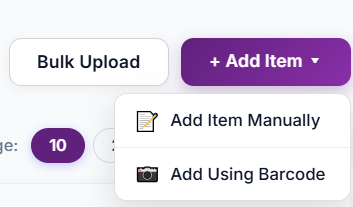
- Bulk upload items and bulk set stock from Excel.
- Express quantity update by scanning a barcode.
- Generate and print barcode labels for loose items.
- Search any item by name, SKU or barcode.
Frequently asked questions
What is stock management software?
Stock management software records how much of every product you hold and updates the count when you sell, buy or take returns. Effy Order also gives reports on stock levels, value and movement.
Can I see the value of my stock?
Yes. The Inventory Report includes a stock valuation report so you can see what your stock is worth.
Can I see what moved in and out each day?
Yes. The daily stock movement report shows opening stock, stock in, stock out and closing stock for each item on days that had activity. It is available for up to 7 days per download.
Does Effy Order report items that are about to expire?
Yes. The expiry report lists items that have expired and items expiring within a week, a month or a number of days you choose. Only items with stock are listed.
Can I stop stock counting for some items?
Yes. Stock updates can be switched off for an item, which is useful for services such as a haircut, where there is nothing to count.
Can I bring in my stock list from Excel?
Yes. You can bulk upload items and bulk update or set stock from an Excel sheet.
Start billing smarter today
Plans starting at ₹199/mo with a 30-day free trial. No hidden fees — upgrade anytime as you grow.