Inventory management for a small business, step by step.
You do not need a warehouse to manage stock well. You need clean item records, a count you trust and a few habits. Here is a simple way to build them.
- ✔ Set up items once
- ✔ Count and correct
- ✔ Reorder levels
- ✔ Slow stock
- ✔ Use the reports
- ✔ Weekly routine
Step 1: give every item a clean record
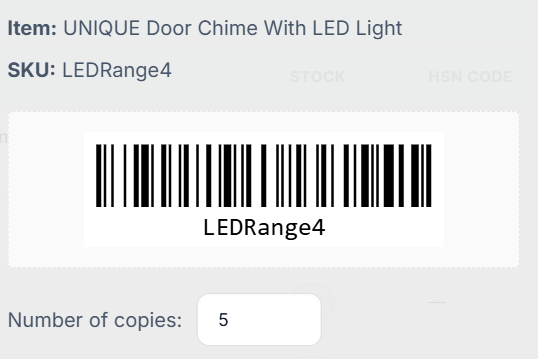
Stock problems usually begin with messy item names. The same product appears as “Rice 25 kg”, “rice 25kg bag” and “25kg Rice”, and its count is split in three places. Decide on one name for each product and give it a unique SKU code, a unit, a purchase price, a selling price and, for GST, an HSN code.
If your catalogue is already in a spreadsheet, clean it there first and then upload it in one go. Effy Order lets you bulk upload items from Excel, so the clean-up is done once and typing is not repeated.
Step 2: start from a true count
Software can only keep a count right if it starts right. Pick a quiet day, count what is on the shelf and enter those numbers as your opening stock. Bulk set stock from Excel is the quick way for a long list. Do the fast-moving items first, since mistakes in those matter most.
From that day on, let the billing do the work. Every sale takes the quantity out, every purchase received adds it and every return puts it back. If someone sells an item without billing it, the count will drift, so make billing the only way goods leave the shop.
Step 3: decide when to reorder
A reorder level is the quantity at which you place a new order. A simple way to set it is to think of how many days your supplier takes to deliver, multiply by how many you sell per day and add a little extra for busy days. Start with a rough number and adjust after a month.
Effy Order alerts you when an item runs low, and the low stock report lists items at or below a threshold that you set. Run that report before you call your suppliers, so that one call covers everything that is short.
Step 4: deal with slow stock and expiry
Goods that do not sell tie up your money. Look at the stale stock insights every month and decide what to do: offer a discount, bundle the item with a fast seller or stop reordering it. If you sell products with an expiry date, run the expiry report weekly so that nothing is sold past its date.
The stock valuation report shows what your stock is worth. Watching that number go up month after month while sales stay flat is an early warning that you are buying too much.
A weekly routine that takes twenty minutes
Once a week, run the low stock report, check the expiry report, look at the top-selling products on the dashboard and spot-check five items against the shelf. Fix any difference straight away and note why it happened. After a few weeks you will see the usual causes, such as unbilled sales or wrong units, and you can stop them at the source.
Reports that match each step
You do not need to read every report. Use the one that answers the question in front of you.
- Stock availability and valuation for the current position.
- Low stock report before placing orders.
- Daily stock movement to find where a count went wrong.
- Expiry report for items with a shelf life.
Frequently asked questions
What is the first step in inventory management?
Give every product one clean record with a unique SKU, a unit and prices, and then start from a true physical count.
How often should I check my stock?
Spot-check a few fast-moving items every week and run the low stock and expiry reports. A full count once or twice a year is common for small shops.
How do I decide the reorder quantity?
Consider how many days your supplier takes, how many you sell per day and a small safety margin. Adjust the number after you see a month of real sales.
Can I upload my product list instead of typing it?
Yes. Effy Order lets you bulk upload items and bulk set stock from Excel.
Start billing smarter today
Plans starting at ₹199/mo with a 30-day free trial. No hidden fees — upgrade anytime as you grow.