Inventory management software that updates stock for you.
Stop counting stock by hand. Every sale, purchase and return updates your inventory automatically, so you always know what is on the shelf and what to reorder.
- ✔ Real-time stock tracking
- ✔ Low stock alerts
- ✔ Barcode generate & print
- ✔ Excel bulk upload
- ✔ Stale stock insights
- ✔ Item-wise order history
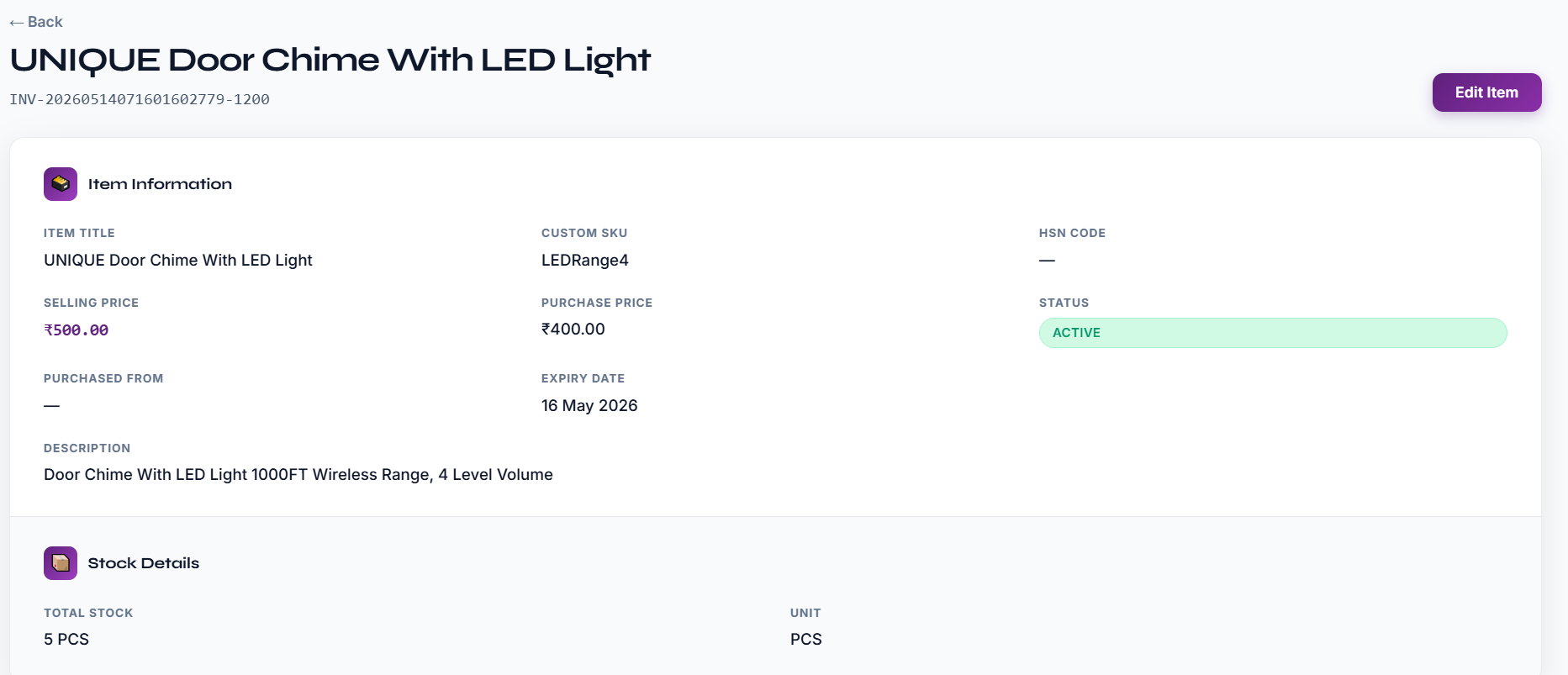
What good inventory management looks like in a small shop
Inventory is the money you have tied up in goods. If you hold too little, customers walk out without what they came for. If you hold too much, cash sits on the shelf and slow items get old, damaged or out of date. Inventory management is the habit of knowing, at any moment, what you have, what it cost and what is selling.
For a small business this does not need a warehouse system. It needs one place where every item is created once, with its SKU, HSN code, unit, purchase price and selling price, and where the count moves by itself as you trade.
How stock moves in Effy Order
Stock goes down when an order is created and up when a purchase order is received. A credit note for a returned item puts it back on the shelf. Because these movements are part of the normal billing work, nobody has to remember a separate stock entry at the end of the day.
Items can also hold batches, each with its own quantity, prices and expiry date, for goods bought at different times or prices. If you sell something that has nothing to count, such as a service, you can switch stock updates off for that item so it never shows a false shortage.
From counting to deciding
Once the numbers are right you can use them. Low stock alerts tell you what to order. Stale stock insights point at goods that are not moving, so you can put them on offer. The Inventory Report gives stock levels, valuation, daily stock movement and expiry lists as downloadable files.
Start by uploading your catalogue from Excel, set the opening quantities, and from the next sale onward the app keeps the count. Check a few fast-moving items against the shelf in the first week, and you will know quickly that the numbers can be trusted.
Always know what is in stock
Create each item once with SKU, HSN code, unit, purchase price and selling price. Stock goes down when you sell and up when you purchase — no manual entries.
- Stock is deducted automatically when an order is created.
- Purchase orders add stock when goods are received.
- Credit notes for returns put items back into stock.
- See every order and purchase order that touched an item.
Update hundreds of items in minutes
Built for shops with large catalogues. Add or correct stock in bulk instead of editing one item at a time.
- Bulk upload new items from an Excel sheet.
- Bulk stock update and bulk stock set from Excel.
- Express quantity update — scan a barcode and change the count.
- Search any item instantly by name, SKU or barcode.
Reorder on time, clear slow stock
Get told before you run out, and see which products are sitting unsold so you can plan purchases better.
- Low stock alerts before items run out.
- Stale stock insights show products that are not moving.
- Inventory reports for stock value and movement.
- Barcode generator to label and print product barcodes.
One record for every product
Keep everything about a product in one place so billing, purchasing and reports all read the same facts.
- SKU, HSN code, unit, purchase price and selling price on every item.
- Categories to group items and see sales by category.
- Batches with their own quantity and expiry date.
- Stock updates can be switched off for service items.
Frequently asked questions
What is inventory management software?
Inventory management software keeps track of how much of each product you have. Effy Order updates stock automatically on every order, purchase and return, alerts you when stock is low, and shows reports on stock movement.
Can I upload my existing items from Excel?
Yes. You can bulk upload items from an Excel sheet and also bulk update or set stock quantities from Excel, so you do not need to type your catalogue in one by one.
Does Effy Order support barcodes?
Yes. You can generate and print barcodes for your items, scan barcodes while billing, and use express quantity update to change stock by scanning.
Will I get alerts when stock is low?
Yes. Effy Order alerts you when an item is running low so you can restock on time.
How is inventory management different from stock management?
The two terms are used for the same everyday job: knowing how much of each product you hold. Inventory management also covers the item details, prices and purchasing around the count. Effy Order does both.
Can I keep different batches of the same item?
Yes. An item can have batches, each with its own quantity, prices and expiry date, which helps when you buy the same product at different times.
What reports does the inventory module give?
The Inventory Report offers a full report, low stock, stock availability, stock valuation, daily stock movement, expiry and item-wise sales and profit.
Start billing smarter today
Plans starting at ₹199/mo with a 30-day free trial. No hidden fees — upgrade anytime as you grow.