GST report software that saves your month-end.
Every invoice you create already holds the tax details. Effy Order gathers them into a GST report for the dates you choose, so you stop copying numbers from bills into a sheet.
- ✔ GST summary with tax breakdown
- ✔ Filter by date and status
- ✔ CGST, SGST and IGST
- ✔ HSN-wise tax profile
- ✔ Credit and debit notes
- ✔ Download for your accountant
Why a GST report takes so long by hand
At the end of every month a shop owner or an accountant has to answer one question: how much tax did we collect, and on which sales. When bills are written by hand or typed into a spreadsheet, the answer comes from adding up hundreds of small numbers. One missed bill or one wrong rate and the totals stop matching the books.
The fix is to let the billing software do the adding. Because Effy Order calculates the tax on the invoice itself, from the rate saved for each HSN code, the same figures can be collected again later without anyone retyping them.
What the GST report gives you
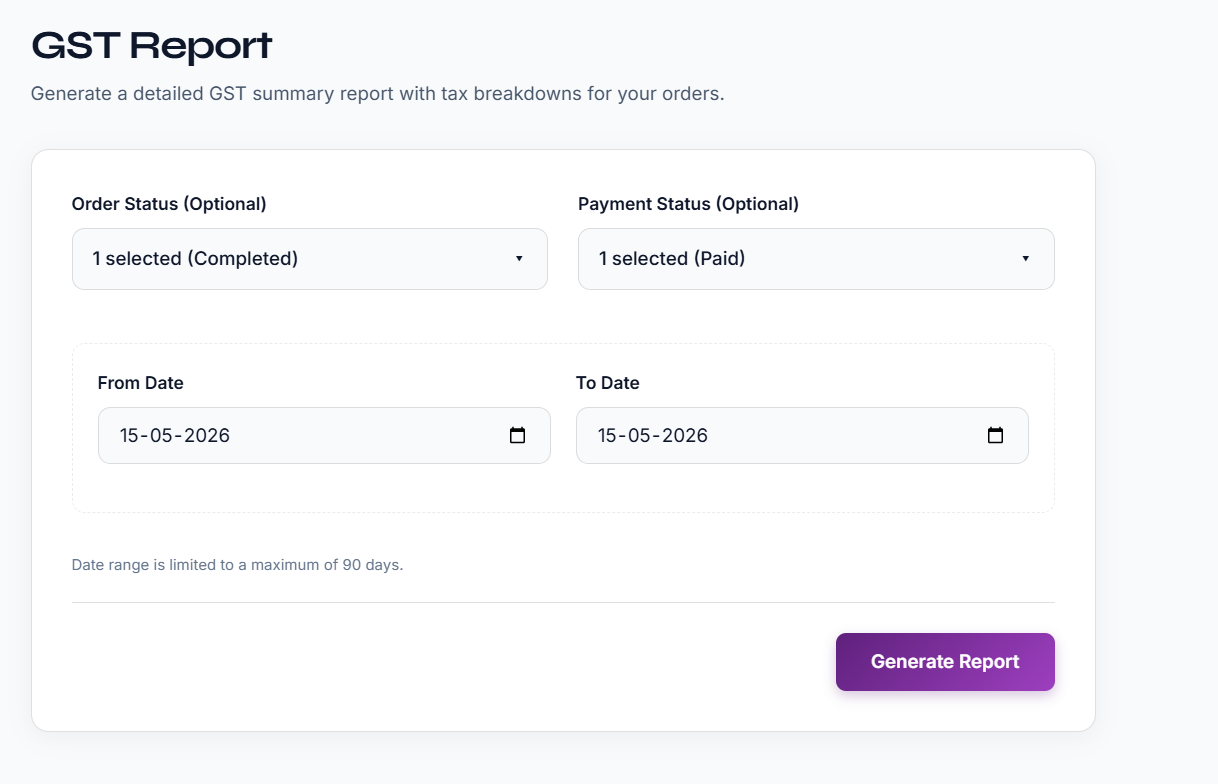
The GST report is a summary of your orders with the tax broken down. You choose a start date and an end date, and you can narrow the list by order status or payment status. The report is generated and downloaded to your computer, ready to open and share with your accountant.
Credit notes and debit notes are recorded against your orders, so returns and corrections are part of the same records. The report is a working summary. Your accountant will still decide how the figures are used when returns are filed, and the exact format needed can change, so confirm it with them.
The tax is calculated once, at billing time
Set the GST rate for each HSN code in your tax profile. Each invoice picks it up, so the report is only a summary of figures that already exist.
- CGST and SGST for sales inside your state.
- IGST for sales to customers in other states.
- Tax is worked out after item-wise and overall discounts.
- Additional charges such as delivery can carry their own tax.
Choose the dates, download the summary
Pick the period you want to look at, add filters if you need them and download. No export wizard, no manual sheet.
- Choose a from date and a to date, up to 90 days at a time.
- Filter by order status such as Initiated, In Progress or Completed.
- Filter by payment status: Pending, Partially Paid or Paid.
- The file downloads to your device so you can forward it.
Returns and corrections stay linked
A return after the invoice is common in retail. The correction is saved against the order, not in a separate notebook.
- Credit notes for returned or overcharged items.
- Debit notes for goods returned to suppliers.
- Sales reports and inventory reports alongside the GST report.
- Customer and supplier history for any query from your accountant.
Frequently asked questions
What is GST report software?
GST report software collects the tax details from your invoices and shows them as a summary for a period. In Effy Order the report is built from the orders you have already billed, so you do not retype anything.
Which dates can I use for the GST report?
You choose a from date and a to date. The range is limited to 90 days at a time, so for a longer period you download it in parts.
Can I filter the GST report by order or payment status?
Yes. You can narrow the report by order status and by payment status before generating it.
Does the report split CGST, SGST and IGST?
Tax on each invoice is calculated as CGST and SGST for sales inside your state and IGST for sales to other states. The report gives a tax breakdown of your orders for the period you choose.
Can I use the report to file my GST return directly?
The report is a summary you can give to your accountant. Rules and return formats change, so confirm with your accountant what they need before you file.
Where do I download the GST report?
Open the Reports section of Effy Order, choose the GST report, set the dates and download the file to your phone, tablet or computer.
Start billing smarter today
Plans starting at ₹199/mo with a 30-day free trial. No hidden fees — upgrade anytime as you grow.