Sales report software that shows profit, not just totals.
From the sales report to the day-end closing report, see how much you sold, how much you collected, what is still pending and what you earned.
- ✔ Sales report with filters
- ✔ Day-end closing report
- ✔ Category-wise sales
- ✔ Profit and pending amounts
- ✔ Top products and buyers
- ✔ Excel and CSV downloads
Four reports, four different questions
The Sales Report answers what was sold in a period. You choose today, yesterday, the last 7 days, the last 30 days or a custom range of up to 90 days, and you can filter by order status and payment status before downloading it as a CSV file.
The Closing Report answers how the day went. It is a day-end summary of bills, money collected by payment mode, pending amount and profit for up to 7 days, downloaded as an Excel file with a sales closing sheet and a stock movement sheet.
The Category-wise Sales Report answers which department earns the most. It gives the number of orders, total sales, total profit and total pending amount for each category, for up to 30 days. The Supplier Details Report shows sales and profit out of each supplier’s stock.
Look at the numbers in the way you work
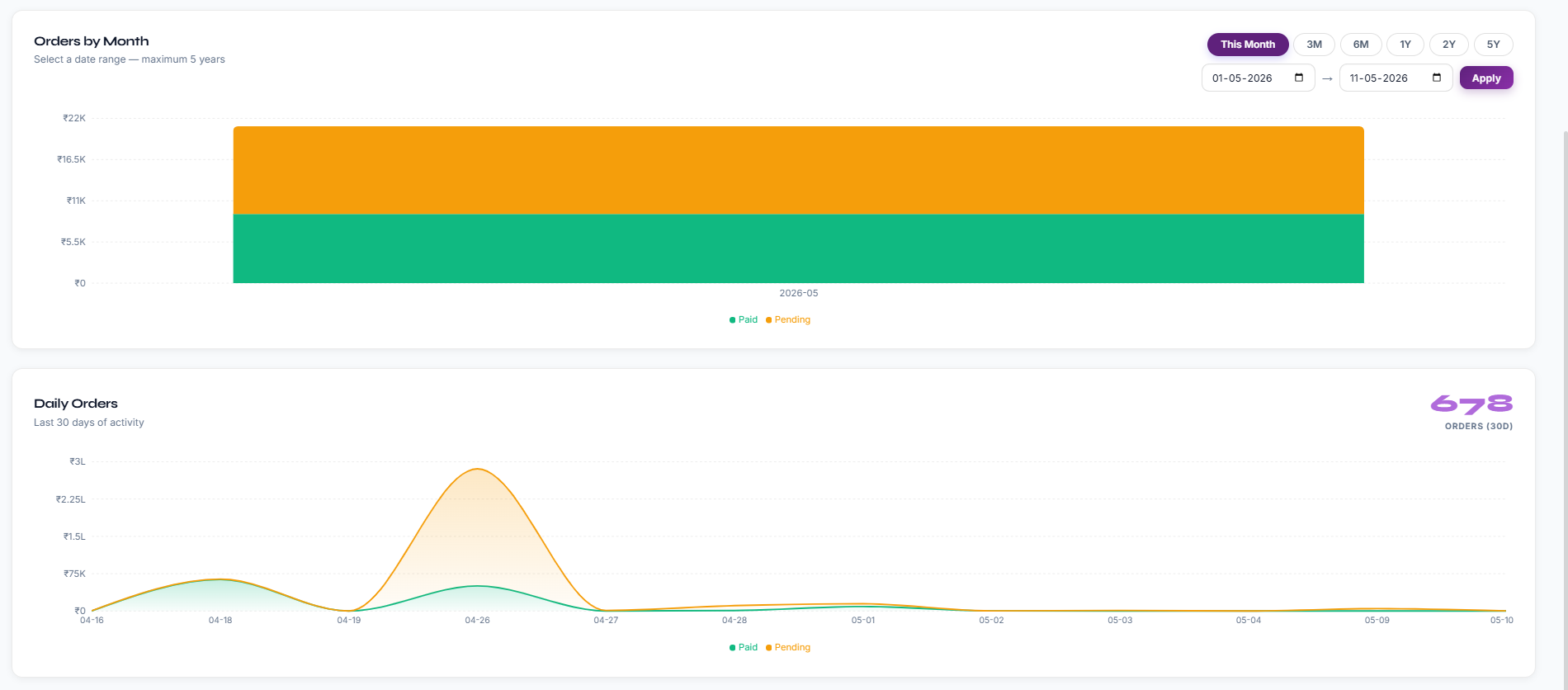
Some owners want a spreadsheet to sort and filter. Others only want a picture. Effy Order has both: downloadable reports for detail, and a dashboard with daily and monthly sales charts, top products and top buyers for the quick look in the morning.
If you track which team member made each sale, the sales can also be looked at employee by employee on the plans that include employee tracking.
Filter first, then download
Ask for exactly the orders you want, so you are not cleaning a huge sheet afterwards.
- Today, yesterday, last 7 days, last 30 days or a custom range.
- Filter by order status and payment status.
- Customer-wise sales to find your best buyers.
- Downloads as a file you can open in Excel.
Close the day with the real numbers
At the end of the day you want one summary, not a pile of bills.
- Number of bills, with rejected or cancelled bills counted separately.
- Money collected, split by payment mode.
- Pending amount and profit for the period.
- Day-wise figures and a bill list in the Excel file.
See what sells and who buys
Use the dashboard and the category report to decide what to stock more of.
- Monthly and daily order trends.
- Top products and top buyers.
- Sales, profit and pending amount by category.
- Item-wise sales and profit from the Inventory Report.
Frequently asked questions
What is sales report software?
Sales report software collects the bills you have created and summarises them: what was sold, to whom, how much was received and how much is pending. Effy Order does this from the orders you already enter.
What periods can I choose for the sales report?
You can choose today, yesterday, the last 7 days, the last 30 days or a custom range of up to 90 days.
What does the closing report contain?
It is a day-end summary of bills, money collected by payment mode, pending amount and profit. It covers up to 7 days and downloads as an Excel file.
Can I see profit in the reports?
Yes. The closing report, the category-wise sales report and the item-wise sales and profit report all show profit.
Can I see which category sells the most?
Yes. The category-wise sales report shows orders, sales, profit and pending amount for each category for up to 30 days.
Can I check sales on my phone?
Yes. The dashboard and reports open in any browser on a phone, tablet or computer.
Start billing smarter today
Plans starting at ₹199/mo with a 30-day free trial. No hidden fees — upgrade anytime as you grow.